Split it. Track it. Get paid back.
Split bills in seconds, keep your regulars in groups, and always know who still owes you. All of it free.
Free on iPhone and Android. Built for Canadians.
Three steps to getting paid back.
- 1
Create a split
Add what you paid and who was there. Split it evenly, by dollar amount or by percent.
- 2
Everyone sees their share
Friends get the exact amount they owe and where to e-Transfer it.
- 3a
Check them off yourself
When someone pays, mark them paid in a tap. Still waiting? Send a reminder.
- 3b
Or let e-tab do it Pro
Their e-Transfer lands in e-tab, gets matched to the right split, and they're checked off automatically. More about e-tab Pro
Everything you need. Free.
Not a trial, and no limit on how many bills you split.
Split it your way
Evenly, by dollar amount or by percent.
Groups
Roommates, the cottage crew, Thursday trivia. Set them up once.
Who owes you, at a glance
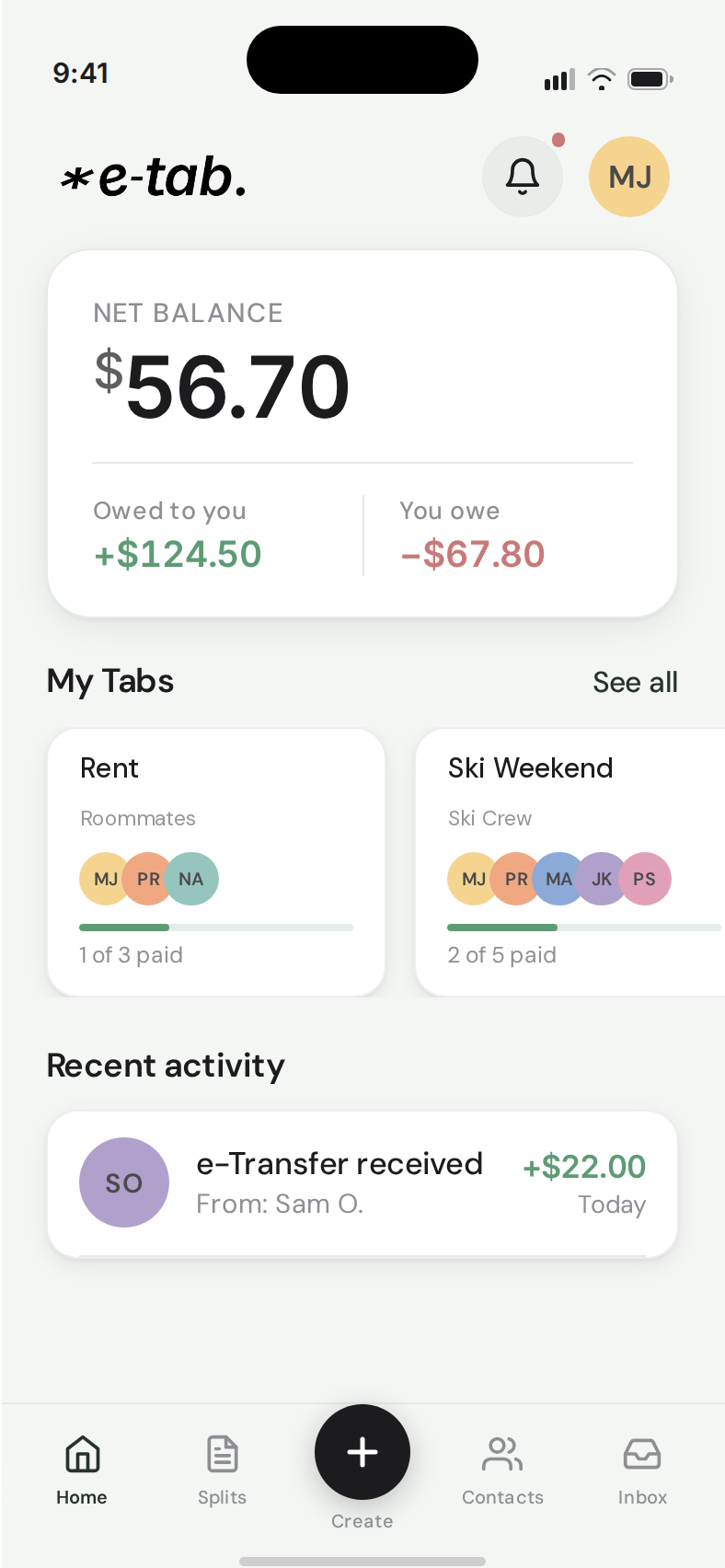
Your balance and every open tab on one screen.
Friendly reminders
Nudge whoever hasn't paid, or have e-tab remind them every few days.
Add friends in a scan
Point your camera at their e-tab QR code and you're connected.
Receipt scanning
Snap the bill and the items fill themselves in.
e-tab Pro
Get paid back on autopilot.
Stop refreshing your bank app and ticking people off by hand. With Pro, every Interac e-Transfer you receive flows into e-tab, gets matched to the right person and tab, and is checked off for you.
Works with RBC, TD, Scotiabank, BMO, CIBC, Desjardins, National Bank, Tangerine and every other Canadian bank. No bank login needed.
-
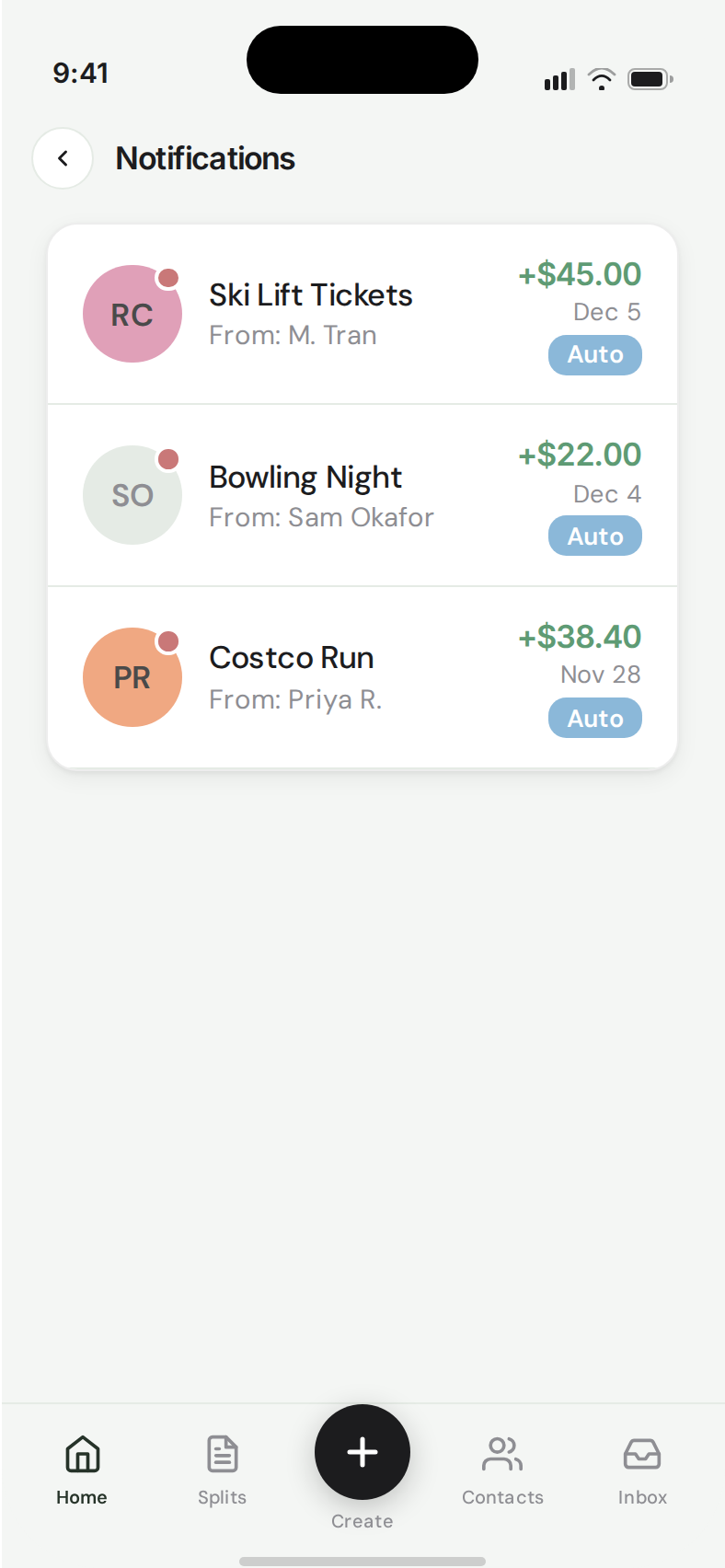
1You get a notification
Auto-matched payments are tagged, so you can see exactly what e-tab did.
-
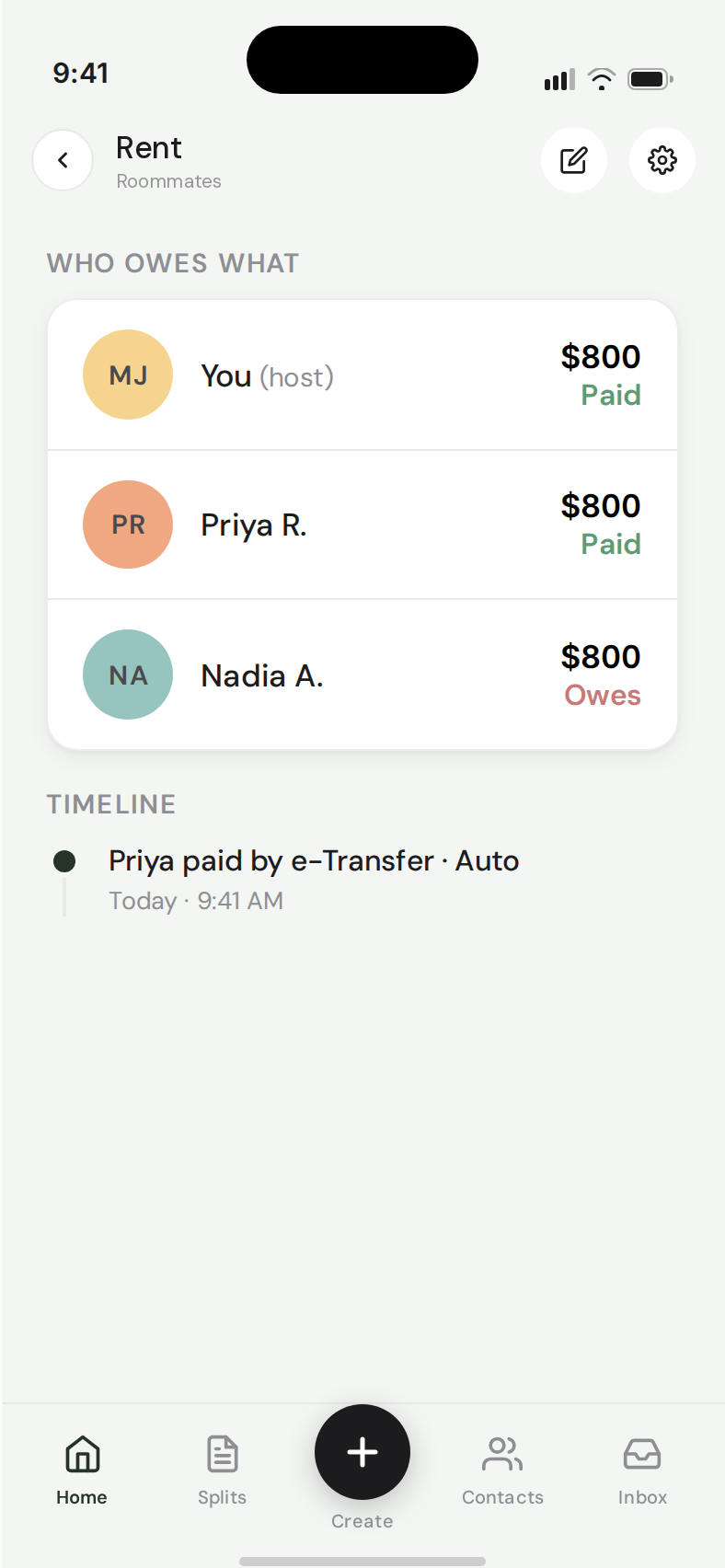
2The tab checks itself off
e-tab finds who sent it and which tab it's for, and marks them paid.
-
3The tab closes itself
When the last payment lands, your home screen shows the tab all paid.
Pro is optional. See pricing in the app.
More about e-tab Pro →Questions.
Is e-tab really free?
Yes. Creating splits, groups, reminders and checking people off are free, with no limit on how many bills you split.
What does Pro add?
e-tab Pro. Your e-Transfers come into e-tab on their own and the right people get checked off for you. You'll see the price in the app before you pay anything. More about e-tab Pro
Do my friends need the app?
No. They can pay you by e-Transfer from their own bank like they always do. If they're on e-tab, they'll also see what they owe and when they've been checked off.
Does it work with my bank?
Yes. e-tab works with RBC, TD, Scotiabank, BMO, CIBC, Desjardins, Tangerine and every other Canadian bank and credit union. For e-tab Pro, you just forward your Interac e-Transfer emails to e-tab. How to set it up
Does e-tab touch my money?
Never. e-tab doesn't ask for your bank login and never moves money. Payments go straight from your friend's bank to yours.
Is it on Android?
Yes, e-tab is on iPhone and Android.
Your next bill is on e‑tab.
Free to download. Made for the way Canadians split.